In continuation to my unboxing and early impressions, I wanted to fully review the Xiaomi Pad 6 with a couple of weeks of usage.
Let’s dive into each aspect of Pad 6.
Full Specs:
Snapdragon 870 5G SOC with Adreno 650 GPU
2880*1800 LCD/IPS 11″ Display @ 144hz – 16:10 aspect ratio
All aluminium body with Corning Gorilla Glass 3 Front
Android 13 with MIUI 14
Storage & Ram Variants: 128GB/6GB RAM, 128GB/8GB RAM, 256GB/8GB RAM(reviewed)
4 Speakers with support for Dolby Atmos
8840mAh battery
WiFi 6, WiFi 5, WiFi 4 and 802.11a / b / g
Bluetooth 5.2
13MP Rear Camera with 4K@30fps, 1080p@30fps, 720@30fps
8MP Front Camera with 1080p@30fps, 720p@30fps
254 x 165.2 x 6.5 mm (10.0 x 6.50 x 0.26 in)
490 g (1.08 lb)
Colours: Graphite Grey (reviewed) and Mist Blue
USB Type-C 3.2
Price:
₹26,999 ($329) for 6/128 & ₹28,999 ($353) for 8/256.
It is very much worth paying the slight extra to grab the 256GB/8GB variant as there is no card slot to expand storage on this. The discounts on the website are pretty much just a psychological trick – the price will always be this. Sorry for busting your tricks Xiaomi 😛. You might see the card discounts come and go.
Display:
Here are some more specs for the display
IPS LCD, 1B colors, 144Hz, HDR10, Dolby Vision, 550 nits
11.0 inches, 350.9 cm2 (~83.6% screen-to-body ratio)
1800 x 2880 pixels, 16:10 ratio (~309 ppi density)
Corning Gorilla Glass 3
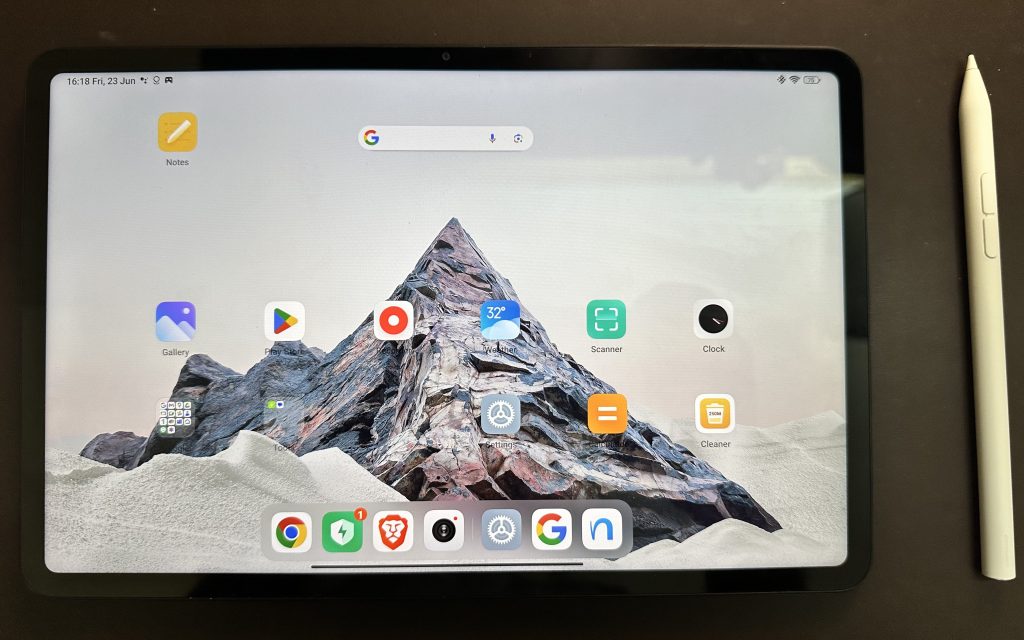
If you read one thing – let it be this. This is a stunning IPS display with more pixel density than the current-gen iPad Air or iPad Pro. The colours are good thanks to the IPS display and picking a 16:10 aspect ratio rather than some of the other ones was a good choice as most of your YouTube or Netflix content will look great in this aspect ratio without black bars. However, the colours and HDR on iPhone 14 Pro look better, but not by a margin of a few hundred dollars. 16:10 aspect ratio also makes it a tad uncomfortable to use this device in portrait mode for reading books or browsing. Xiaomi most definitely catered more for the content consumption side rather than reading or browsing based on this aspect ratio selection. However, I did read manga and a slight bit of book reading. I prefer the Kindle for book reading as it is much more comfortable to hold in your hand.
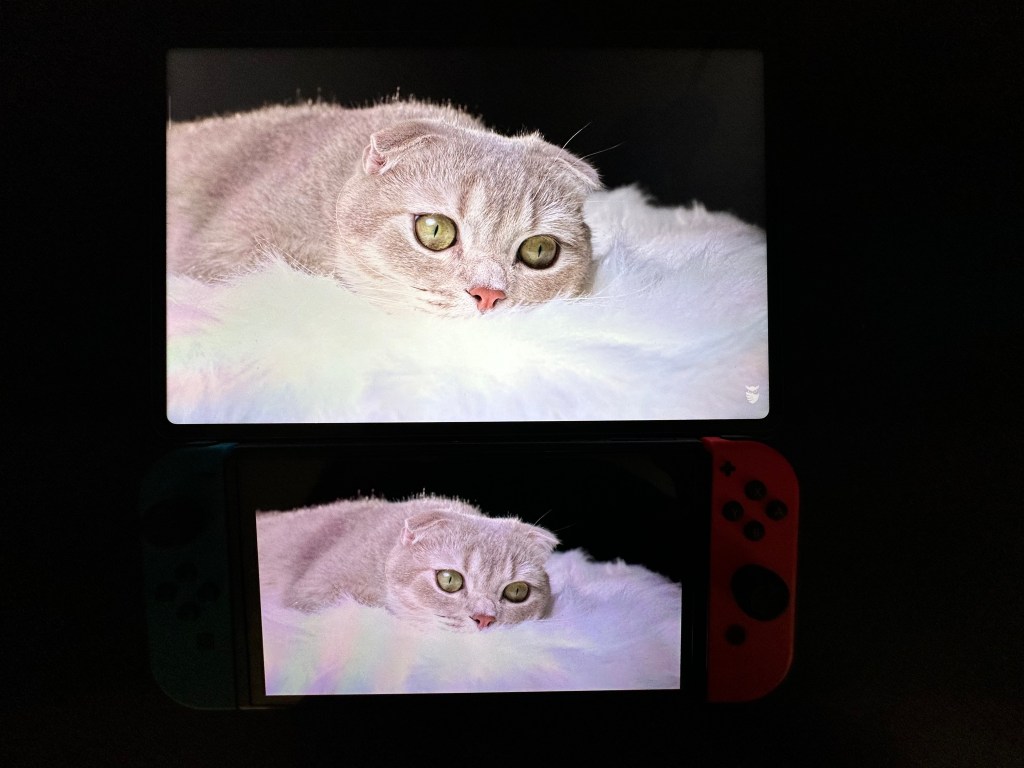
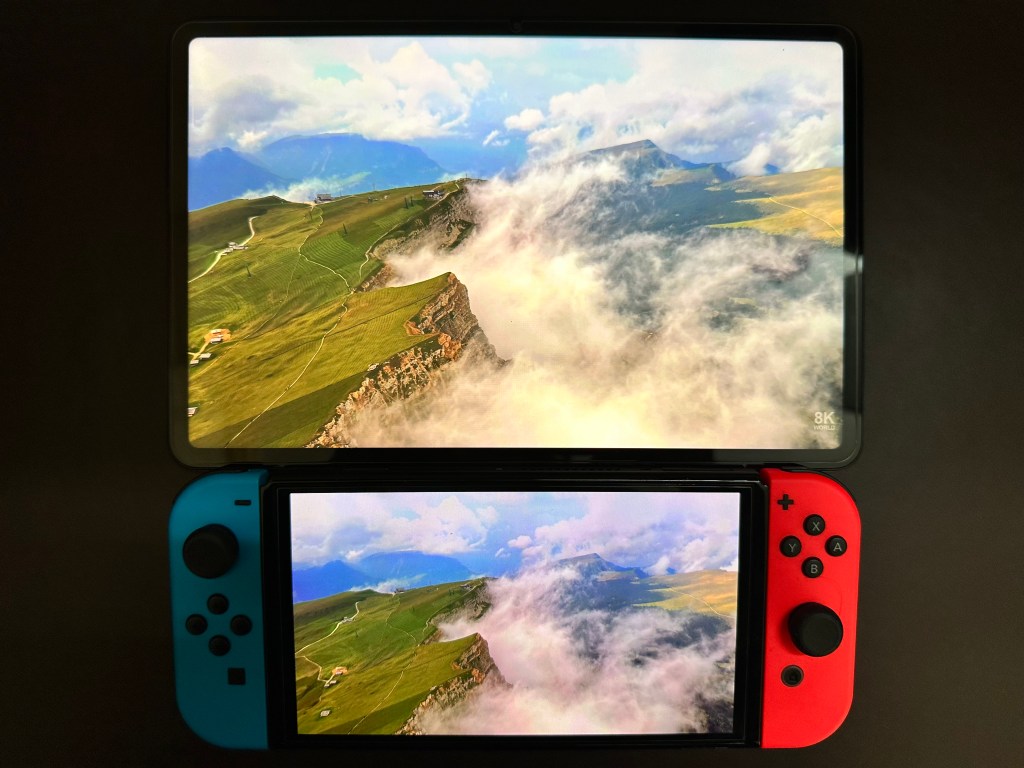
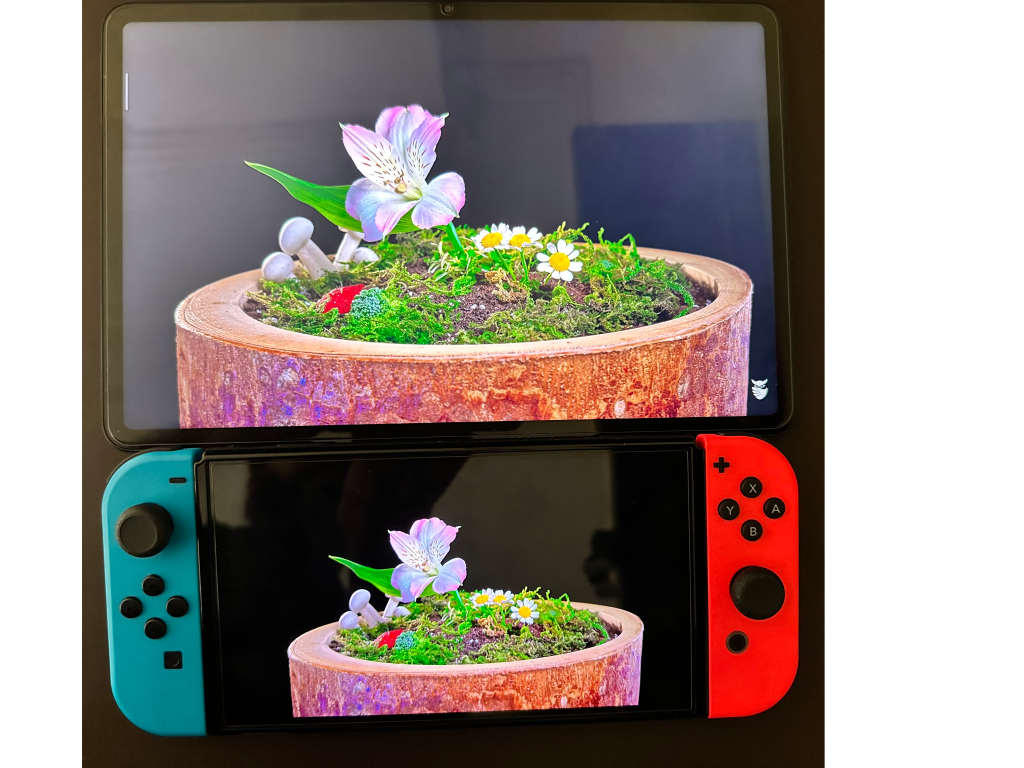
The Switch OLED display wasn’t the best comparison as its display is 720p with 210ppi but it’s what I had at the moment for a side by side comparison. You can still see what a difference the OLED does to dark scenes.
The viewing angles of the Pad 6 are average and sufficient for a couple of people to enjoy video content. Because the display is LCD – unfortunately you will not get pure blacks. So if you’re watching content in a dark room, you would see the backlight in dark sections of the content. You can see the grey instead of black evidently in the cat and flower pot pictures above. But to be honest, this doesn’t matter once the content has you engaged.
I get why it’s just LCD, Xiaomi definitely cannot put an OLED at this price point. For what it’s worth, the Pad 6 displays gradients better than my Nintendo Switch OLED. The brightness is also higher than the Switch OLED. I stumbled across complaints of “black crush” for the Pad 5 but I’m yet to see this. Other Twitter accounts have also mentioned they did not observe black crush on the Pad 6.
Now coming to another stellar feature- refresh rate. You can pick between 60hz, 90hz or 144hz from the settings. The home screen animations and scrolling animations are buttery smooth thanks to this. You could keep the refresh rate adaptive as well but I noticed intermittent stutters so I constantly leave it at 144hz. High refresh rates also ought to help in games which do offer the setting, check my experience with Battlegrounds Mobile India below. I cannot help but make another comparative remark here about how high refresh rates for no reason other than money are locked to high-end iPad Pros or iPhone Pros. With Xiaomi Pad 6 you get this refresh rate, great colours, and high pixel density for a fraction of the price.
The display is bright enough, I never have to turn it up to its 550 nits spec. The brightness spec might come in handy when using it outdoors.
Build and Ergonomics:

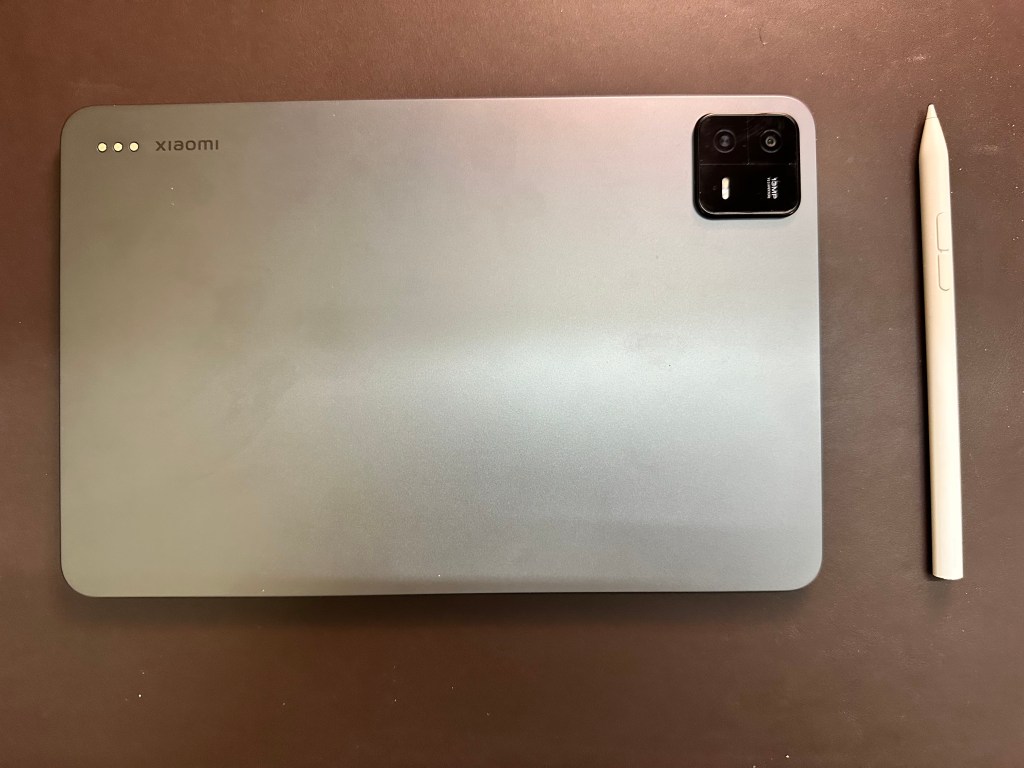
The Xiaomi Pad 6 very surprisingly has an all-metal body- rear and sides. I’ve never had a device at this price point that was aluminium. The metal body adds a premium feel to it. The front has a camera and the display.
The rear has the camera module, flash and pogo pins to attach the keyboard accessory.
The edges are curved and are comfortable to hold in your hands, it doesn’t feel like it digs into your palms. The Pad 6 weighs 490 grams so it’s not too heavy and comparable with competitors. Although because of the aspect ratio being 16:10, it could get tiring holding this in portrait more for a longer time. It’s more comfortable to have this in landscape mode.
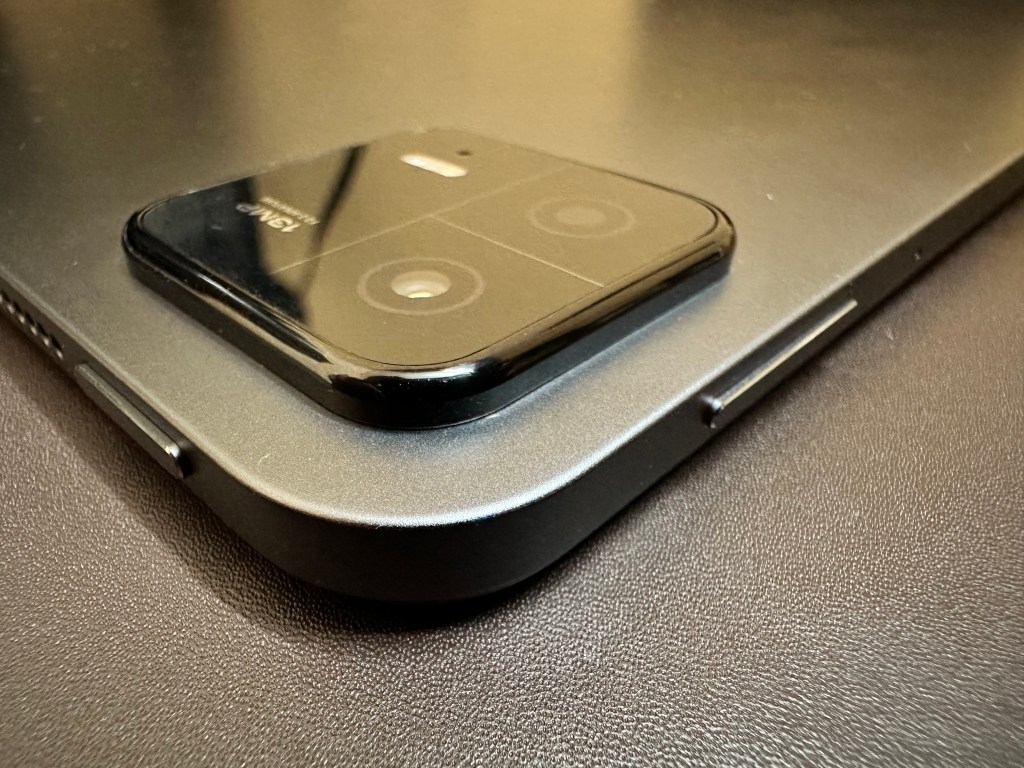
The sleep button and volume buttons have a nice tactile feel. I don’t feel anything lacking here. The side also has a slot for magnetically docking the Smart Pen 2.
Performance and OS:
This is kind of a meaty section of the review.
There is stuttering in animations intermittently, whether it is swiping between apps or just minimising to go home. This is even with 144hz set as the refresh rate. I feel poor software optimisation is at play here, as the Pad 6 has plenty of horsepower. When it does work, it’s ice cream smooth.
They have a setting to change the colours of the display based on ambient lighting (Xiaomi’s version of True Tone). This was too annoying for me, I couldn’t take it changing the colours sharply while using the tablet so I switched it off.

You can see a small video settings pane with a setting called Enhanced Animations which is supposed to smoothen blur – this always creates a stuttering/laggy YouTube experience when forwarding or rewinding videos. It fixes in a few seconds but still annoying. I recommend keeping this off too.
The tab can wake up with a) Sleep button b) Raise to wake c) Double tap to wake d) Opening smart cover. I do have the smart cover so when I do open the cover, the display wakes up. But sometimes I leave the display uncovered. In that situation, I have to double-tap to wake the screen. As the sleep button might be further away. It would have been great if there was a single-tap option. Minor grievance.
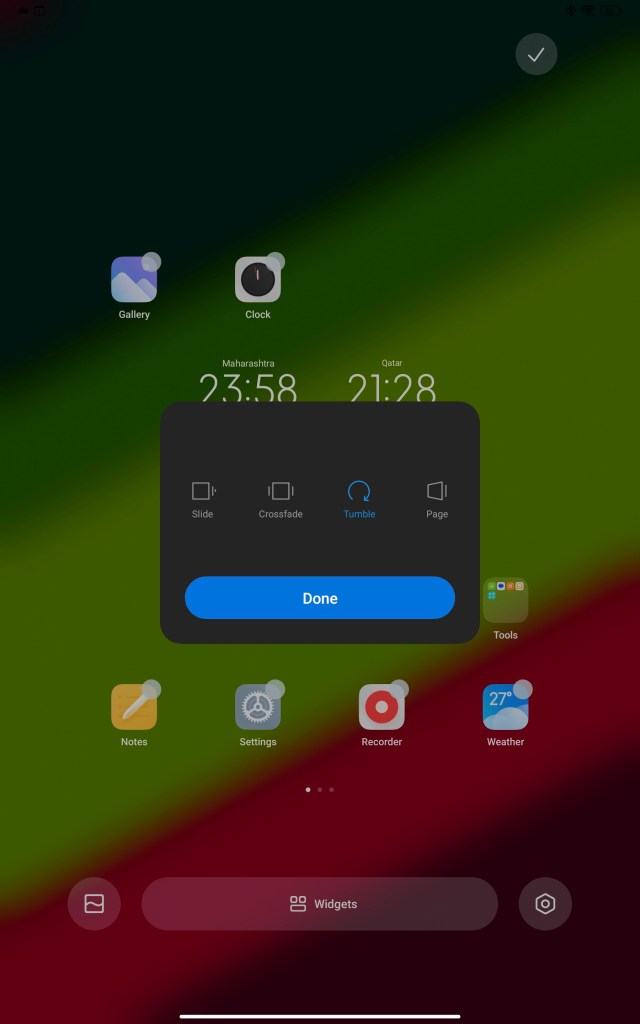
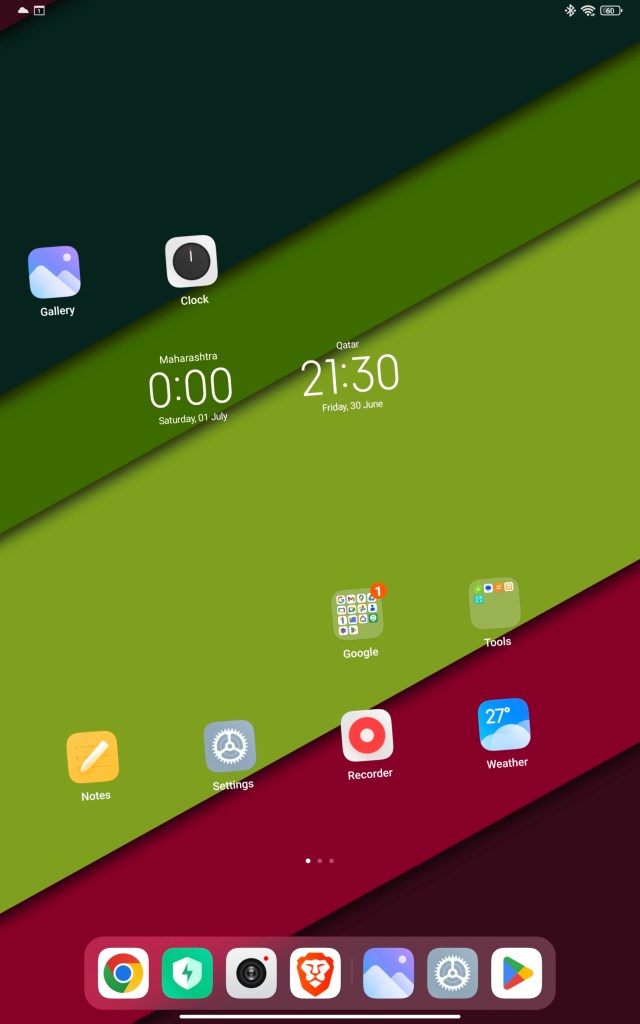
There are four home screen transition effects. I like Tumble the most among them (video above). Even my friend using the Pad 6 for the first time was amazed looking at it. But, intermittently the first page gets stuck mid-transition (screenshot above). Again some polishing is needed here.
Face unlock is a hit or a miss. It does work sometimes and sometimes it doesn’t. It doesn’t have an extensive array of sensors to scan your face and just relies on your camera. What would have been nice- a fingerprint scanner on the screen or the sleep button.
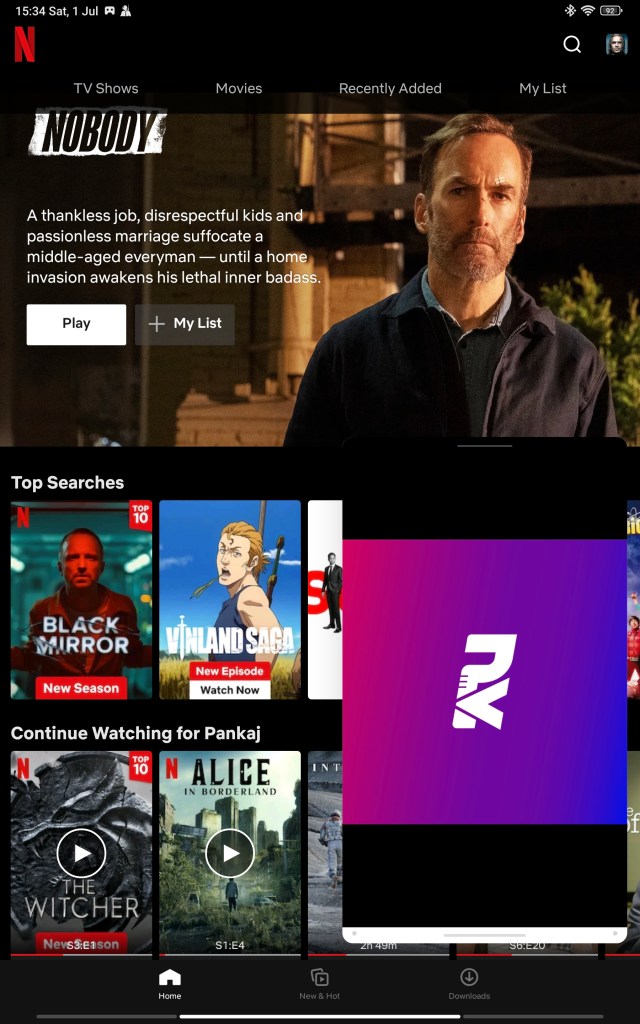
There is a whole page in settings to explain how to use floating windows and split screen and for the life of me- I struggled to understand one of the gestures there. But I did figure it out later. My opinion here is, I don’t have a strong use case to only open an app in a floating window. Maybe it might help to open a calculator while browsing the web or doing something else. Also the applications that open in a floating window are limited.
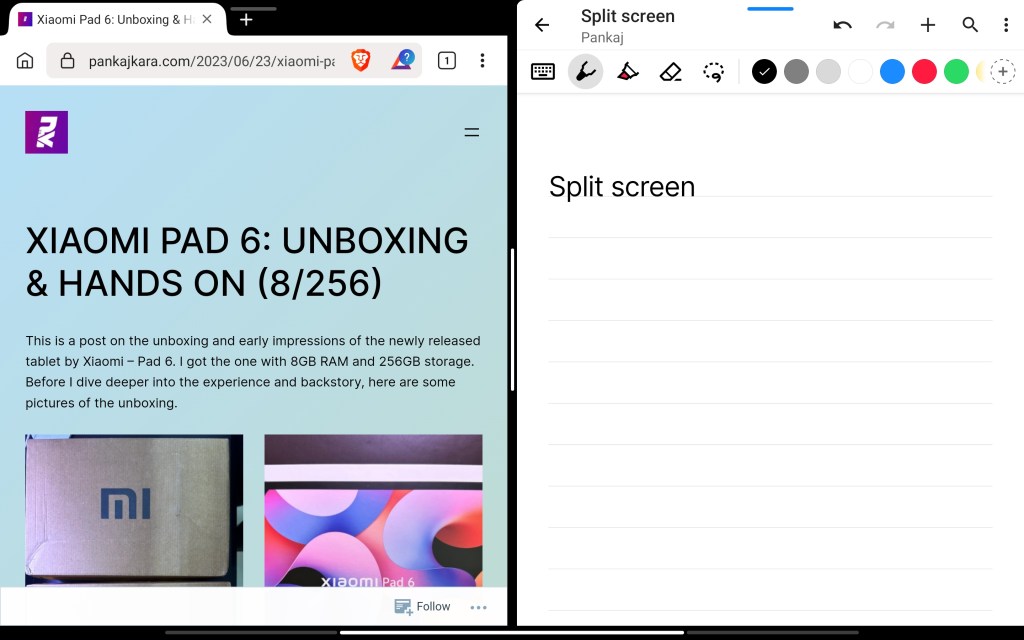
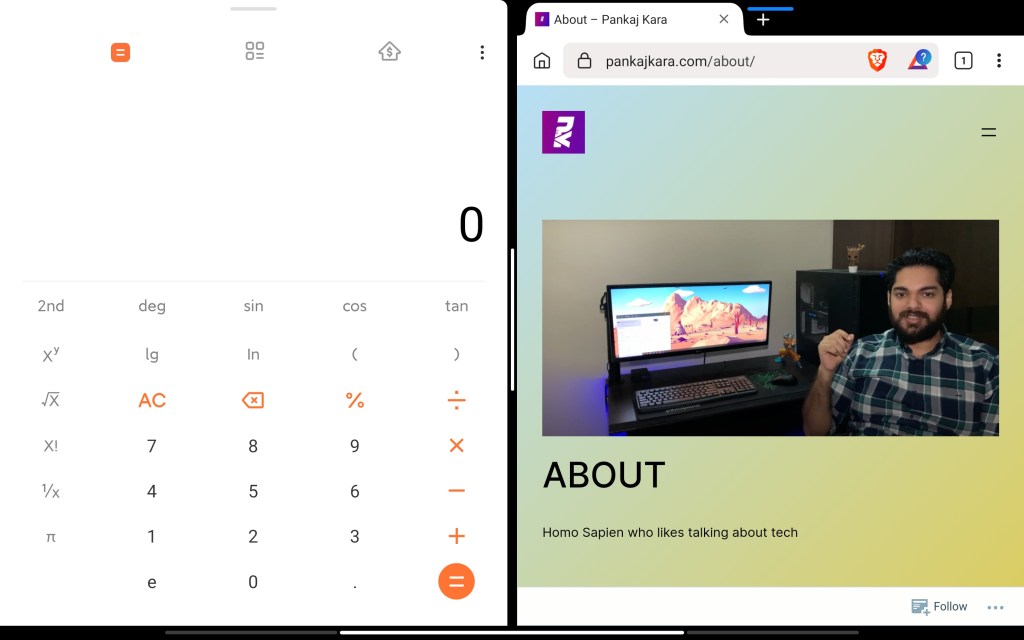
I do appreciate that I can put apps in split screen. What I usually do is split the screen into two halves, the first half having educational video content and the second half having a notes app open to handwrite notes. There are about three ways to switch to split screen, the easiest from them is swipe right with three fingers. If the application supports split screen, it will come on the right half and then you can select apps amongst a menu for the left half. You can even adjust the size of each window in split screen in case you need one larger than the other.
Holding the sleep button – opens Google – this can be disabled from Google settings. You have two options for the home screen – classic and app drawer. While I liked classic, one annoying thing is swiping up launches Google search & there is no way to switch this off. So I switched to the app drawer, where swipe up opens the app drawer.
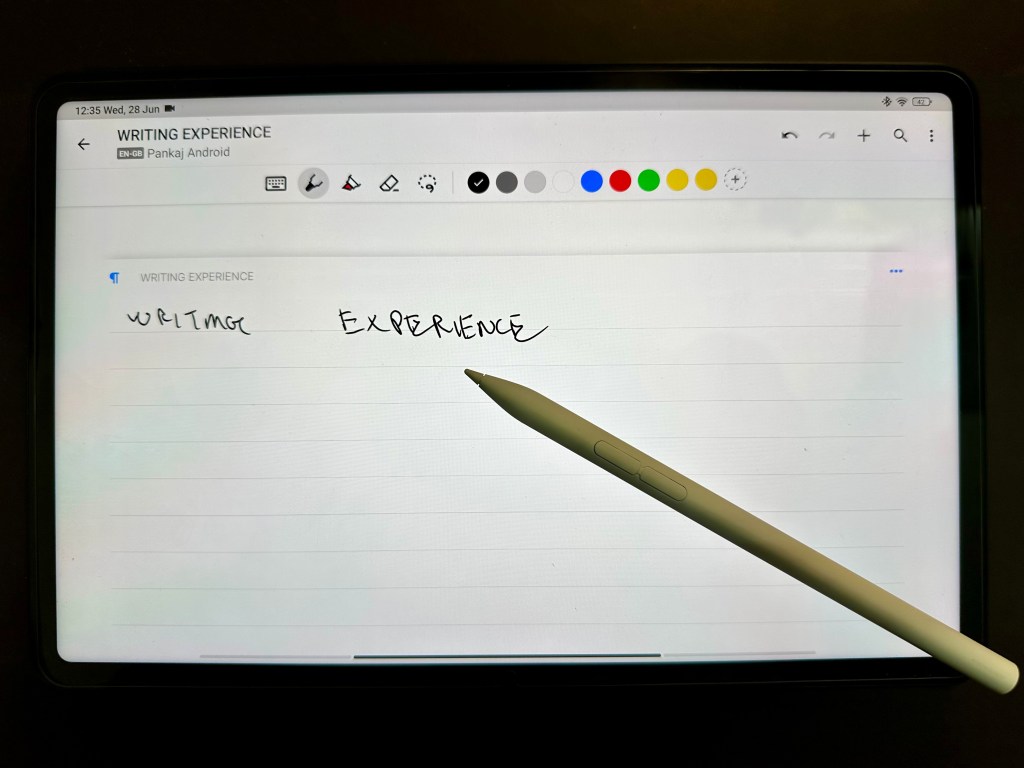
The handwriting experience with the Smart Pen 2 is really good. I’m using Nebo for handwriting-to-text conversion and porting my handwritten notes to digital text on my PC. Check out the reviews for the Smart Pen 2 and Nebo if you’re interested in writing or sketching. What I’d wish there would be some customisation for the buttons on the pen.
The MIUI prompts you to clear your storage or clear your ram with bundled apps. Now as a user, I shouldn’t even need to do this and it should be smartly managed by the Operating System however, it is a nice to have for folks who do like killing apps again and again. I simply don’t do that on any of my devices unless my system is feeling sluggish.
Another cool feature is the ability to create duplicate apps. So you could have two instances of any app with each instance having a different account logged in. This seems useful for folks who wanna share tablets or maybe keep some separation of accounts between apps.
Gaming
You get a game boost mode which initiates on launching games. It clears memory and cache to get you the best performance possible. Within the game boost mode, you can also tweak the settings of each game to optimise for quality or stability. You can even launch game boost in-game by swiping on the tiny bar on the left, this lets you optimise speed and switch to performance mode.
Disclaimer- I don’t play games on iOS or Android – anymore. I’d rather game on my Nintendo Switch or my PC. However, for this review, I did install Asphalt 9 and Battlegrounds Mobile India.
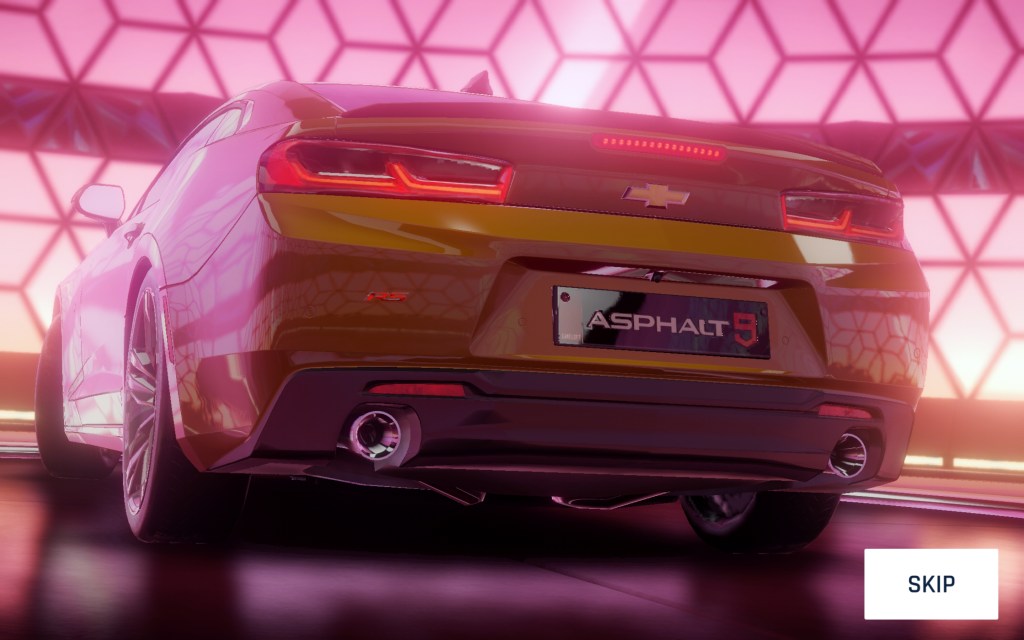
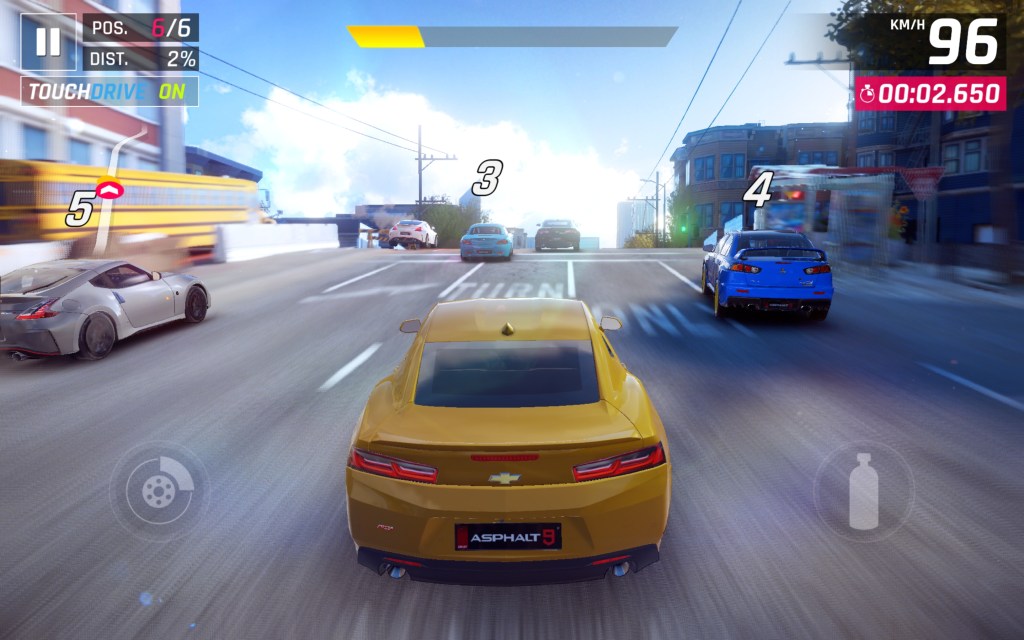
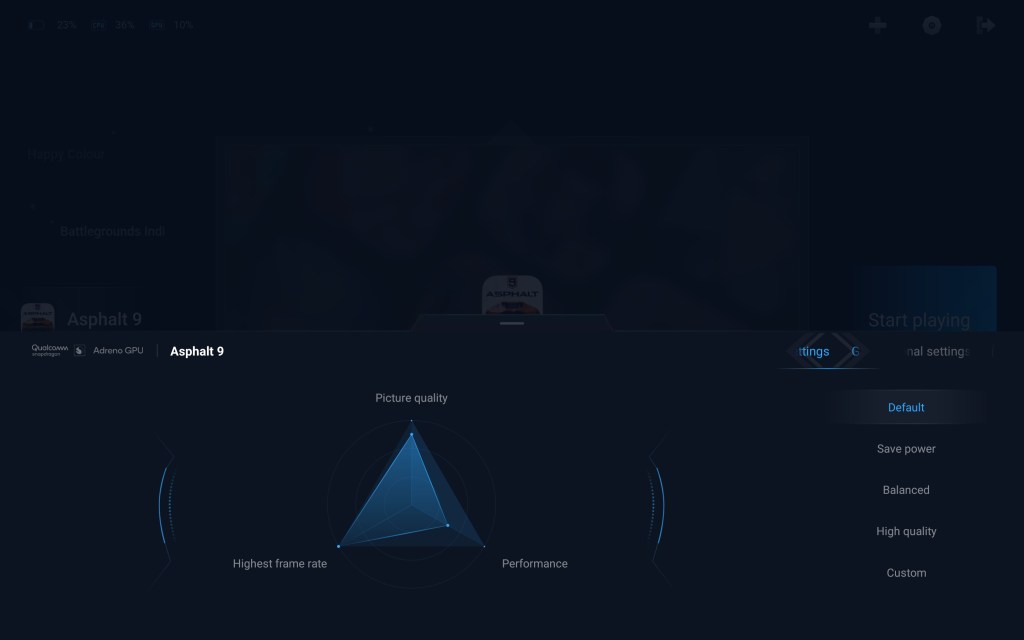
Some screenshots of Asphalt 9. In Asphalt, the frame rate was stable, it is locked at 60fps. No drops in frames, and the game looks quite good too. But it is littered micro-transactions, automatic turning hardly makes it less of a game and more of a point and click adventure. Moving on 😛.


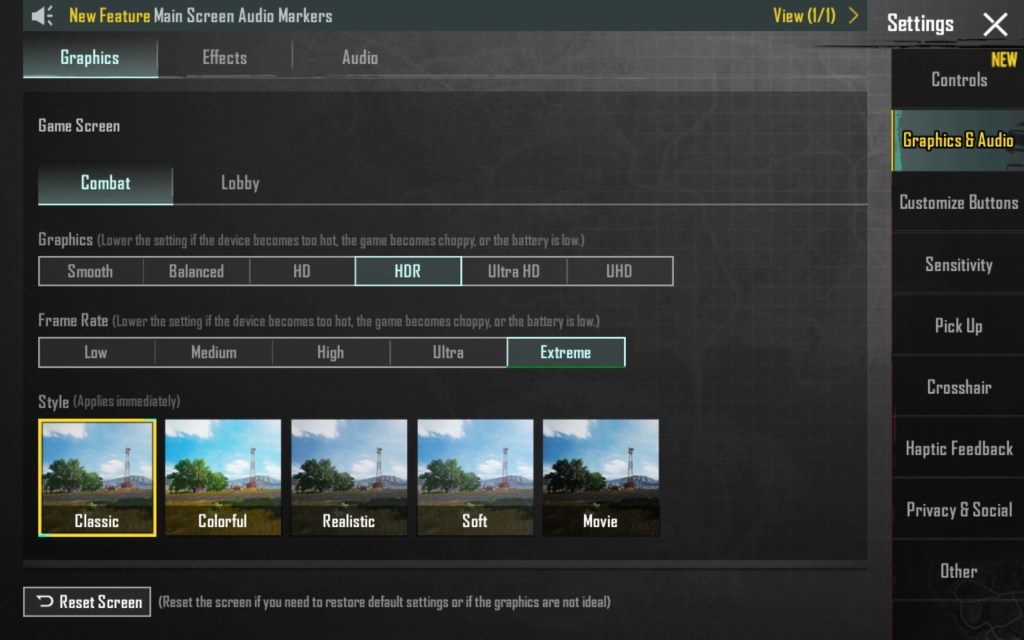

Some screenshots of Battlegrounds Mobile India. Very stable framerate, the above screenshots are with HDR graphics and extreme frame rate. In this mode, I got a constant 140fps~. This game is able to utilise the 140hz display well. The Pad 6 gets slightly warm during gaming. Also it is not comfortable to play this game handheld, I’d opt for a controller connected to the tablet.
On switching to Ultra settings with Ultra framerate I still get 140fps~ constantly. I did notice more micro stutters in this mode tho. But still very very playable.
Charging and Battery:
Times from measured charging session-
From 10% -> 80% it took 60 mins
From 80% -> 93% it took 13 mins
From 10% -> 100% it took a total of 1h 13 mins.
I suppose in 1h 20 mins ~ this could be charged completely with the bundled adaptor. One weird thing is I see some sources mentioning it takes 2 hours to charge. I’m gonna re-observe this number and update if I feel that my number is drastically different.
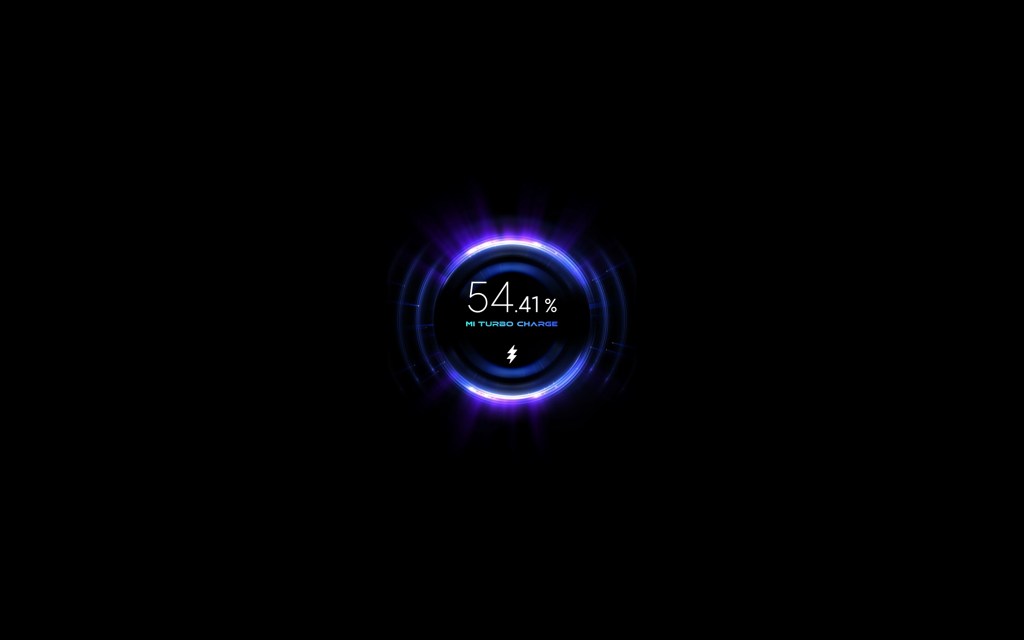
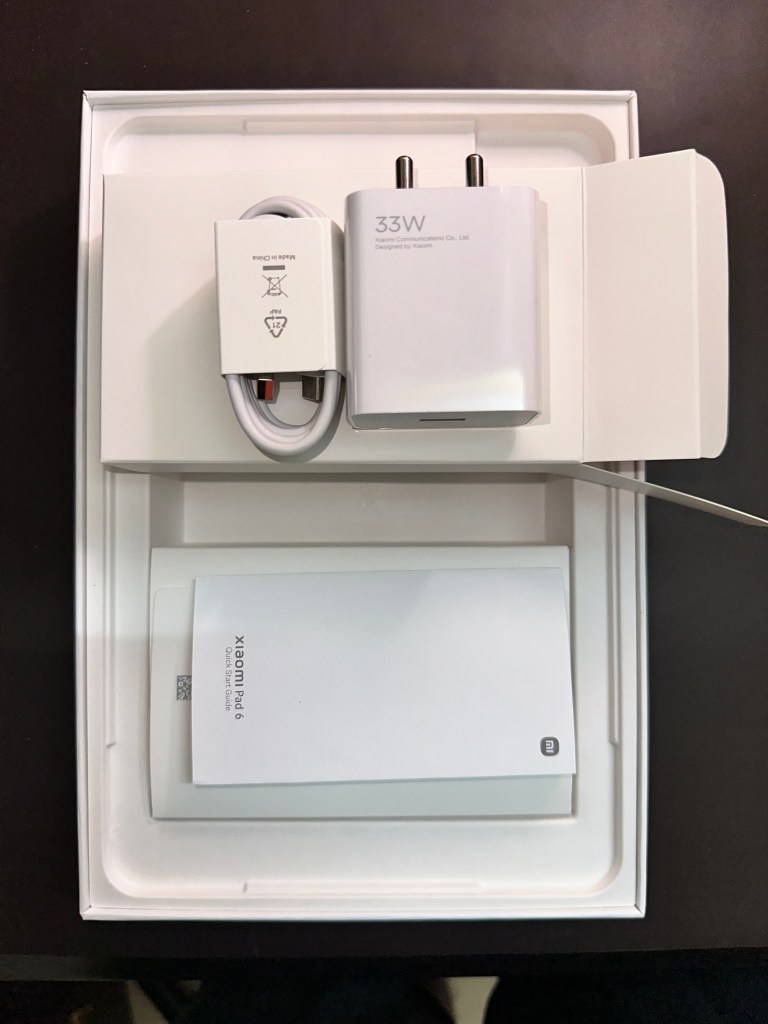
The Pad 6 comes bundled with a 33W charger and a USB-A to USB-C cable. A higher-spec charger would have been great but honestly, I’m never in such an urgency that I need to use the pad and need it to charge in 30 mins. This is a tertiary device for me. I really like the charging animation. As soon as you plug the charger in you can see each 0.01% change in battery. It dismisses after a few seconds tho.
The battery is 8840mAh. And Xiaomi claims it can last two days. If you thought that claim was wrong, well here’s a surprise for you.
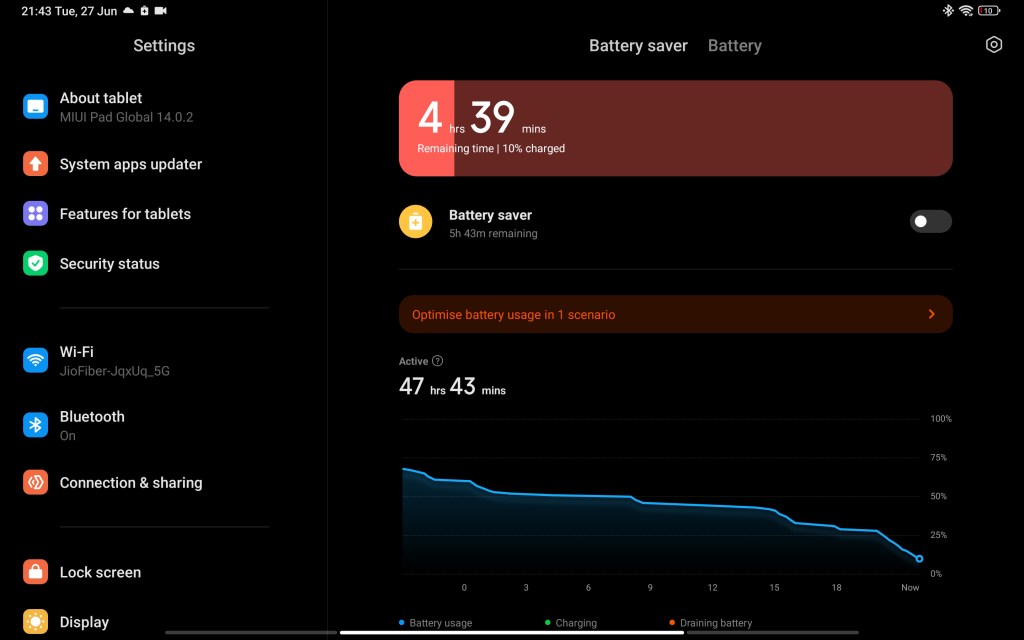
You can see that the active time is 47hours 43 mins. And the tab claims it can go another 4 hrs 🤯. I used it for two days where I played YouTube videos, did handwriting with the Smart Pen 2, did web browsing and even edited a video on Canva. There was easily 8-10 hours of screen on time.
My take on the battery life is- if you’re doing heavy screen-consuming activities, this isn’t gonna last two days. If you use it mildly, it could go for two days or longer. The standby battery life is really good, Xiaomi claims it can go to 26 days on standby. Just like it claims the product is on discount right now 😜. Probably the Pad 6 could go 26 days but most likely on airplane mode and never using the display. Lastly, gaming severely drains the battery. I don’t think you could get more than a couple of hours of gaming.
Camera
There’s a saying – people use tablets to scan documents 😂.


The 13MP rear camera is decent for document scanning or some intermittent random photography. It most likely will not be replacing your phone camera any time soon. It is also awkward to hold and click pictures because of its form factor.
The above shot is from the 8MP front camera. I found it decent when taking zoom calls. However because the camera is towards the longer side of the tablet, it is awkward to take selfies or take calls in portrait mode, as you inevitably appear to be looking in a different direction. This is meant to be used in landscape mode propped up by the cover or stand.
Speakers
Lastly, I would want to compliment the speakers. They aren’t out of the world but they do pack a punch. The four speakers provide enough output to make watching videos or playing games without external speakers.
My one complaint here would be the location of the speakers. If you’re holding the tablet in landscape mode, you might end up covering the speakers with your hands. I suppose one could be mindful of this tho.
Internet Speed
I did a couple of runs of the Xiaomi Pad 6 to check peak WiFi speeds compared to other devices.
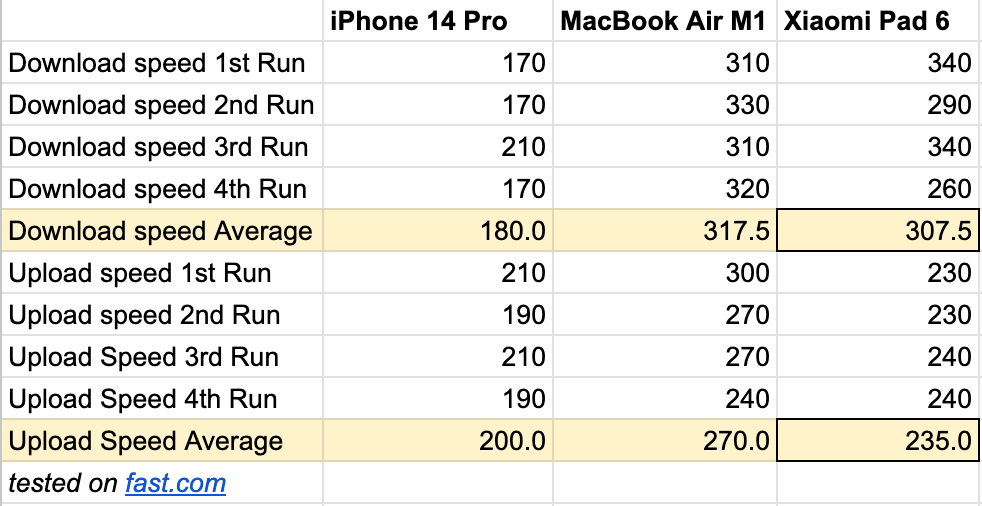
Note: I have a 300mbps fiber connection. On average the Pad 6 always has slower download and upload speeds compared to a MacBook Air. Albeit not the best comparison but still thought this might be useful to some folk. While download speeds are similar there is a larger gap in upload speeds. This might be important for folks who want to upload content from Pad 6. Although I’d recommend you use a different device for this workflow – I don’t advocate for Pad 6 as a content creation machine.
IMO the target audience would hardly notice these differences.
Verdict
In early impressions tweets, I stated that the Xiaomi Pad 6 offers a great display and package for 2/5ths the cost of the iPad Air (256gb) and 1/3rd the price of the iPad Pro (11″ 256gb). I stick to this statement. This tablet gets you 65-70% of the way to a premium tablet experience barring minor grievances. It is value for money at the current price point delivering a solid experience in most aspects. You could easily make this a media consumption machine with light productivity. For someone who hasn’t purchased a tablet before, this would be a great start.
The display is crisp with 309ppi and 16:10 is great for consuming TV shows or YouTube. Gaming performance in BMI and Asphalt 9 was good with fps being stable. The 144hz refresh rate is nice to use when even just browsing the web or using other apps. The build quality is aluminium and feels premium. The battery life was good in my mixed usage lasting two days with sessions of browsing, YouTube, Canva, etc. The bundled charger is 33W and can fully charge the tablet in 90 mins~.
The OS and Custom UI offer useful features like Split Screen, Game Boost, Memory Cleaning, etc. but lack polishing which results in intermittent stutters across the home screen. Ambient Lighting and Enhanced Animations features also need more polishing. Xiaomi has stated they would provide software updates for 3 years, so perhaps we might see some fixes in future.
A fingerprint scanner, an option for cellular connectivity and a newer processor would have made a nice addition to this great package.
I also feel there is a huge gap in applications optimised for Android tablets, this isn’t Xiaomi’s fault tho. Hopefully, this should change in the future but, if there are some iOS or iPad OS exclusive apps that you depend on, it is worth checking if they are available on Android.
The Pad 6 is often compared to the OnePlus Pad which is priced at ₹37,999. While I haven’t used the OnePlus Pad, looking at the specs and other reviews I would strongly recommend considering the Xiaomi Pad 6 as an alternative option.
What I missed most using this tablet was – the Apple walled garden. I missed connectivity (AirDrop and iCloud) with my other Apple devices like the iPhone 14 Pro and MacBook Air M1. This is something that can never be resolved so buyer beware. Also rings bells about how dependent or locked one can get in an ecosystem 🤐.
Factors you should consider for your purchase:
1) Do you want iOS instead of Android
2) Any exclusive apps on iOS ecosystem that you need
3) Do you have a higher budget (If yes your options for tablets increase)
4) Access to iCloud/Other Apple services
5) How much is resale value important to you?
6) How many years of updates do you expect? (Xiaomi says they’ll provide 3 years)
I hope you enjoyed this review and hopefully, this helped your curiosity about the tablet. Make sure to hit the follow button below and subscribe to my posts. If you have any questions feel free to tweet me.
If you want to buy the Xiaomi Pad 6- you can use this link. Disclosure: As an Amazon Associate I earn from qualifying purchases. https://amzn.to/3qoF0Ju.
Update 4/7/23: Noticed an issue with Netflix to play HD content.
Update 2/8/23: Haven’t noticed this issue of Netflix and HD content again.
Update 21/01/25: I cannot recommend this tablet because of recurring issues with expiry of certificates leading to playback of SD content on Netflix or Prime Video. There are fixes that help resolve these but a user shouldn’t have to go through them.
——

 Pankaj Kara