I’ve been using the Xiaomi Smart Pen Gen. 2 for over a week with the Xiaomi Pad 6. It has been a solid experience mostly. The pen is compatible with the Xiaomi Pad 5, Pad 5 Pro, Pad 6 and Pad 6 Pro. Most of this review was written with this pen 🤓.

Specs of Xiaomi Smart Pen Gen. 2:
240Hz Touch Sampling Rate
4096 Pressure Levels, 5G Activation force
150 hours battery life, 1-minute charge for 7 hours of writing
Ultra-low latency
26° Elastic Nib
Length: 152mm
Net weight: 20gms~
Package Contents:
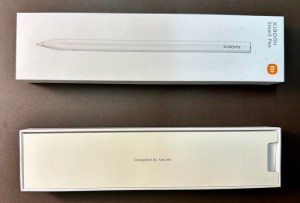

Xiaomi Smart Pen Gen. 2
Extra Elastomer pen tip
Quick Start Guide
Warranty Card
Writing Experience:

Thanks to the high refresh rate of the display on the Xiaomi Pad 6 and the 240-hertz sampling rate, I can barely observe a delay while writing, just a slight one. The only way I could see that delay properly was by recording a slow-motion video of me using the pen. I primarily used the Nebo app for writing and I also experimented with Microsoft OneNote, Bamboo Paper & Xiaomi Notes. I did not face any connection issues, and the performance was satisfactory.
For someone new at writing on a tablet, the feeling of writing on glass is obviously different to paper, but the fast detection of writing, how easy it is to actually write, and the surface feel of the pen tip against the glass, all these were great in my opinion. The only thing I’d change to improve my experience would be to add a matte screen protector that has a paper-like feel. That slight friction while writing would enhance the experience. I used it both naked and with tempered glass and didn’t face any issues in handwriting detection or stylus usage.
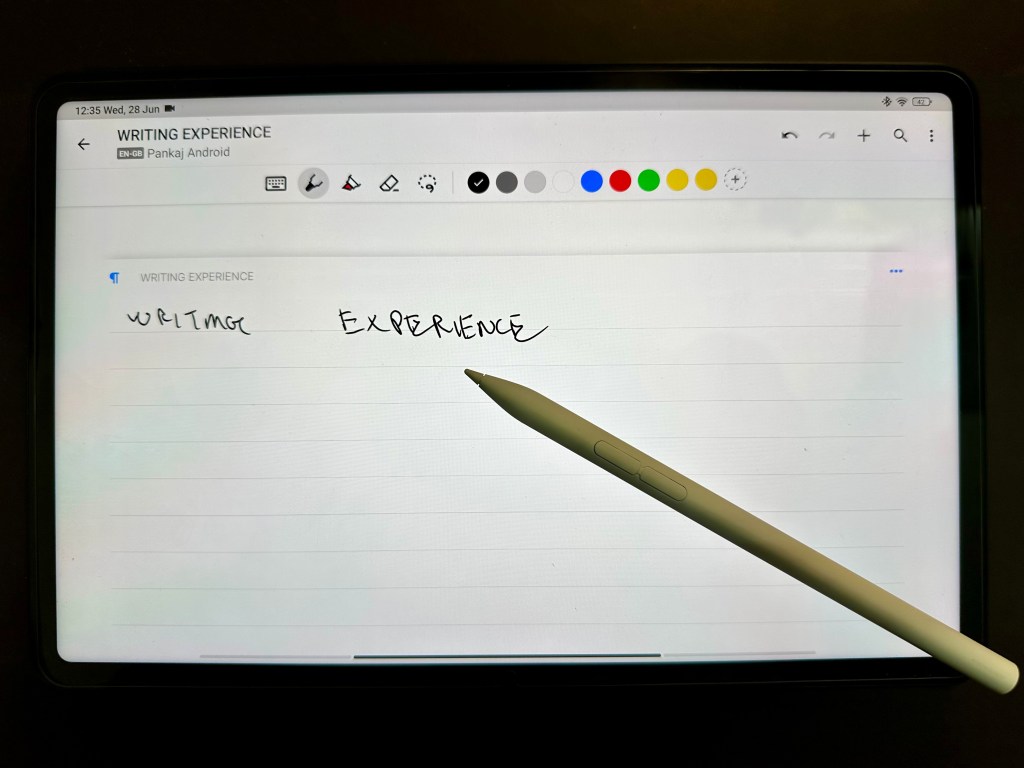
The pen is also comfortable to hold for a long duration and never felt sweaty even with writing sessions lasting up to an hour. The ergonomics are on point. I attribute that to the materials, shape and weight of the pen. There is a flat edge on an almost entirely rounded body. This flat edge is the point of contact with the dock position on the tablet for charging.
Side note: Look at how Nebo grabbed my world-famous garbage hand-writing, detected it correctly and also made it the title of the document. Check my review of the Nebo app if you’re interested in a great note-taking application.
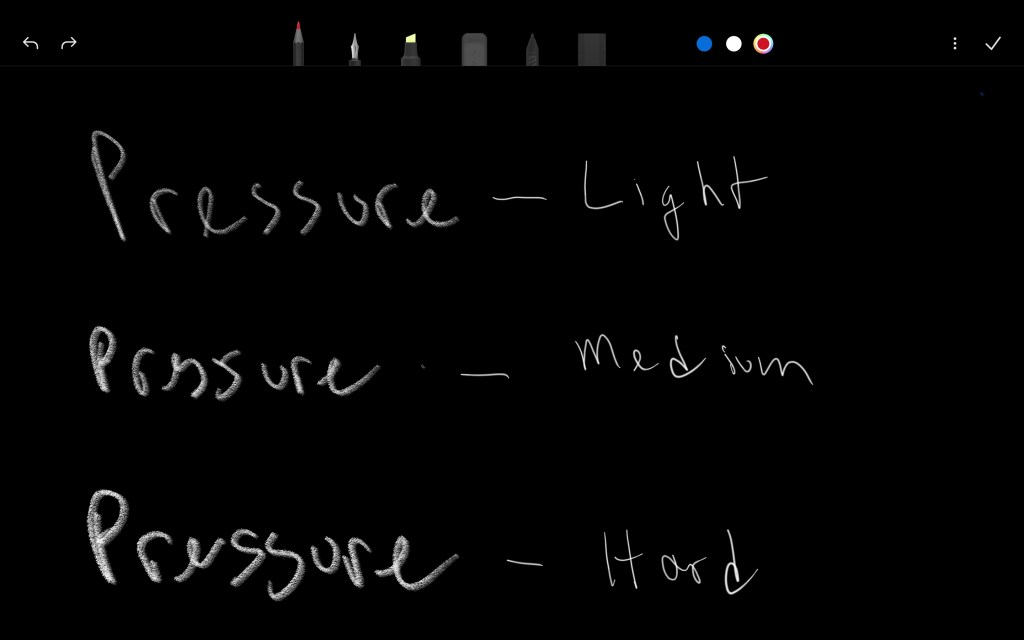
Pressure sensitivity seems to work fine. Tried the same in Xiaomi Notes. Although my use case is more of writing so cannot give a deeper analysis for this. It’s advertised to support activation at 5G. But, I think this should be great for sketching too. We might see some great sketches on this from the community in the future.
The Smart Pen 2 is also capable of hovering over menu icons across many apps. Unsure if this was there in the first gen. This feature is presently exclusive to the latest generation iPads in the Apple ecosystem. However, I’m not able to understand much of a use case for this yet.
Button features:
Out of the box, you will notice two features
1- Hold and write to write notes with the primary button
2- Hold and drag to take screenshots with the secondary button
In Xiaomi notes, you can use the primary button to switch pen tips (pencil, pen, etc.) and if you hold the primary button the pen switches to an eraser. You could use the secondary button to change the color of your pen.
I stumbled across other use cases for the button. While watching a video in a browser, press the primary button to rewind 20 seconds, and press the secondary button to forward 20 seconds. This did not work on YouTube. Another one was while browsing press the secondary button to scroll up and the primary button to scroll down.
Battery Life:
The Pen 2 is advertised to have 150 hours of battery life and in that respect, I think the number might be accurate. 1 minute of charge can enable writing for up to 7 hours. Every time I magnetically charged the pen I always saw the battery at 100% despite usage in handwriting and notetaking.

The pen can attach to either longer side magnetically but only charges on the side of the camera like in the picture above. There’s a toast message that comes on top when the pen is magnetically placed on the dock.
Build and Quality:
Compared to the first gen pen, the new pen comes in an all-white colour. The design of the pen tip has been changed to provide users with a better view of what they are writing. I kinda agree with this choice of design. It is very familiarly shaped to an actual pen & does not obstruct the view while writing.
The buttons are easy to press and give solid tactile feedback. Overall it appears to be of good quality apart from my below point.
I have one issue with the build quality. I dropped the pen a couple of times, and now one of the buttons has a slight creaking sound. I also need to press harder to keep the function working. I can’t be bothered by a service centre as that’s too much effort. Besides the writing still works flawlessly. I’d recommend Xiaomi improve the quality of materials here, as a pen should be capable of enduring a few drops.
Verdict
I like the feel of the pen on the glass even though it is smooth/slippery on glass. I’m managing to take notes with the tablet in an upright position, so I guess it isn’t *that* slippery? I’m sure I could further improve the writing experience with a screen protector that has a more paper-like texture. Unfortunately, none are in the market presently. I used the pen with tempered glass and did not observe any glitches, that’s nice as many users might be opting for screen protectors.
The battery life is stellar and I am yet to see it drop below 100%. This is mostly because the battery life is great, as they claim for 1 minute of charge the pen can yield 7 hours of battery life. The other reason is I put the pen back on the magnetically charging position once I’m done using it.
The buttons come in handy for standard features of notes and screenshots but I would have liked to see some customization ability. Also, the buttons don’t work in all apps. YouTube is a big miss. I would want to see more apps supporting the buttons of the pen.
The pen button started creaking after me dropping it a couple of times. Now the button needs to be pressed harder for situations or shortcuts that need the button to be held longer. For example, holding the primary button in Xiaomi Notes enables the eraser- to keep eraser mode on, I need to hold or press the button harder otherwise it switches back to the pen.
One interesting thing is sometimes I found myself using the tablet entirely with the pen instead of tapping with my fingers. It was a bit automatic. Although there are some parts of the OS or Apps which are just better used with your fat fingers.
At this price point of Rs. 5999 or $73, the Xiaomi Smart Pen Gen. 2 is value for money. If you enjoy handwriting or sketching, you could definitely consider purchasing this pen. The addition of an extra pen tip, support for usage with screen protectors, tactile buttons and insane battery life make it a great product.
If you enjoyed this review, hit the like button and make sure to follow me on Twitter: @PankajKara.
You can also check the review on Xiaomi Pad 6 here and Xiaomi Pad 6 Cover here. Thanks for reading.
Update 7/7/2023: I can see a slight bounce effect between the pen tip and the rest of the body when moving it around or playing with it. It’s like the pen-tip frame doesn’t sit flush with the body. When I’m moving around the pen or playing with it, there’s a slight movement that creates noise. I can’t notice a difference while writing. I would have expected a flush fit and finish between the pen tip and pen here. So more work is to be done by Xiaomi in the build quality department.

 Pankaj Kara